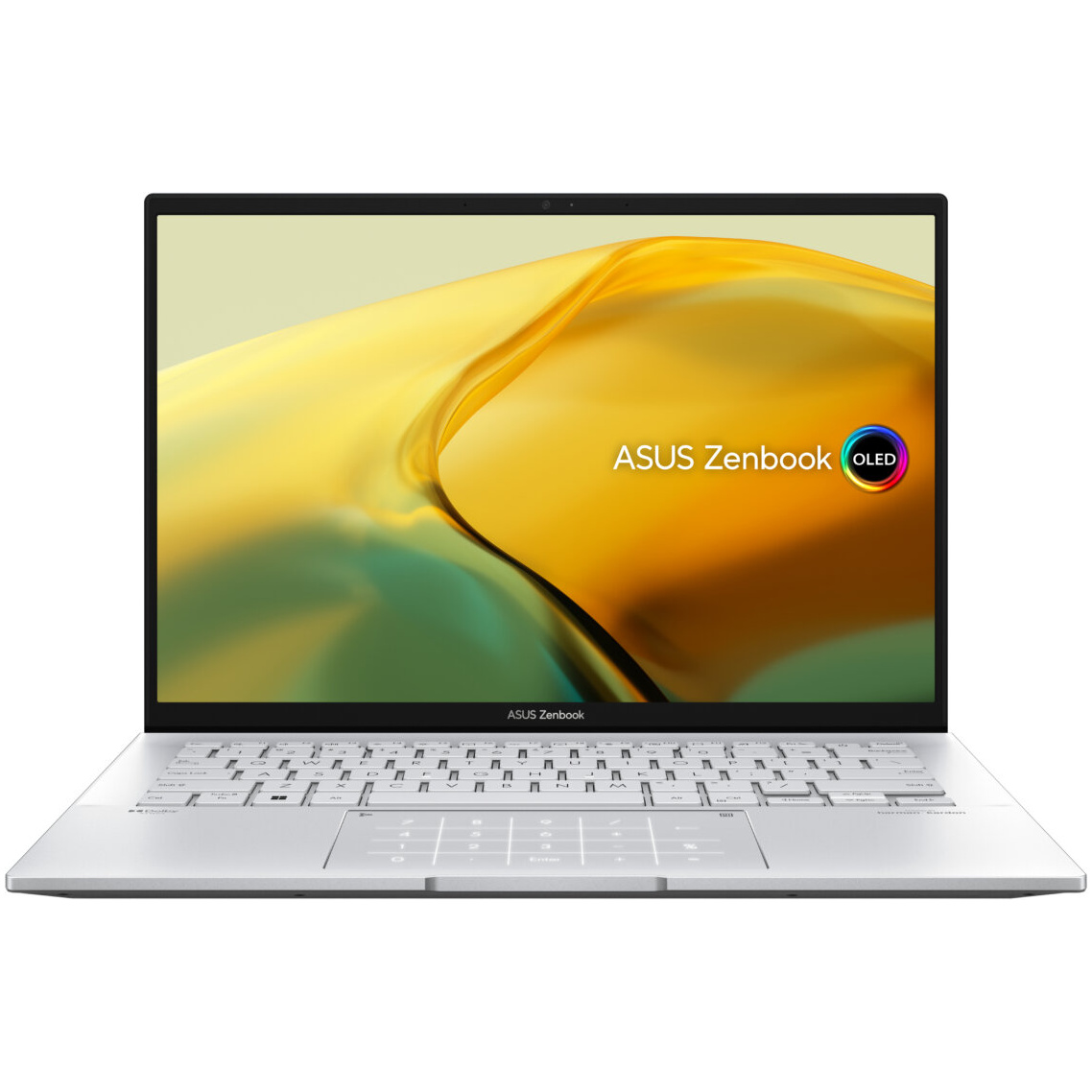
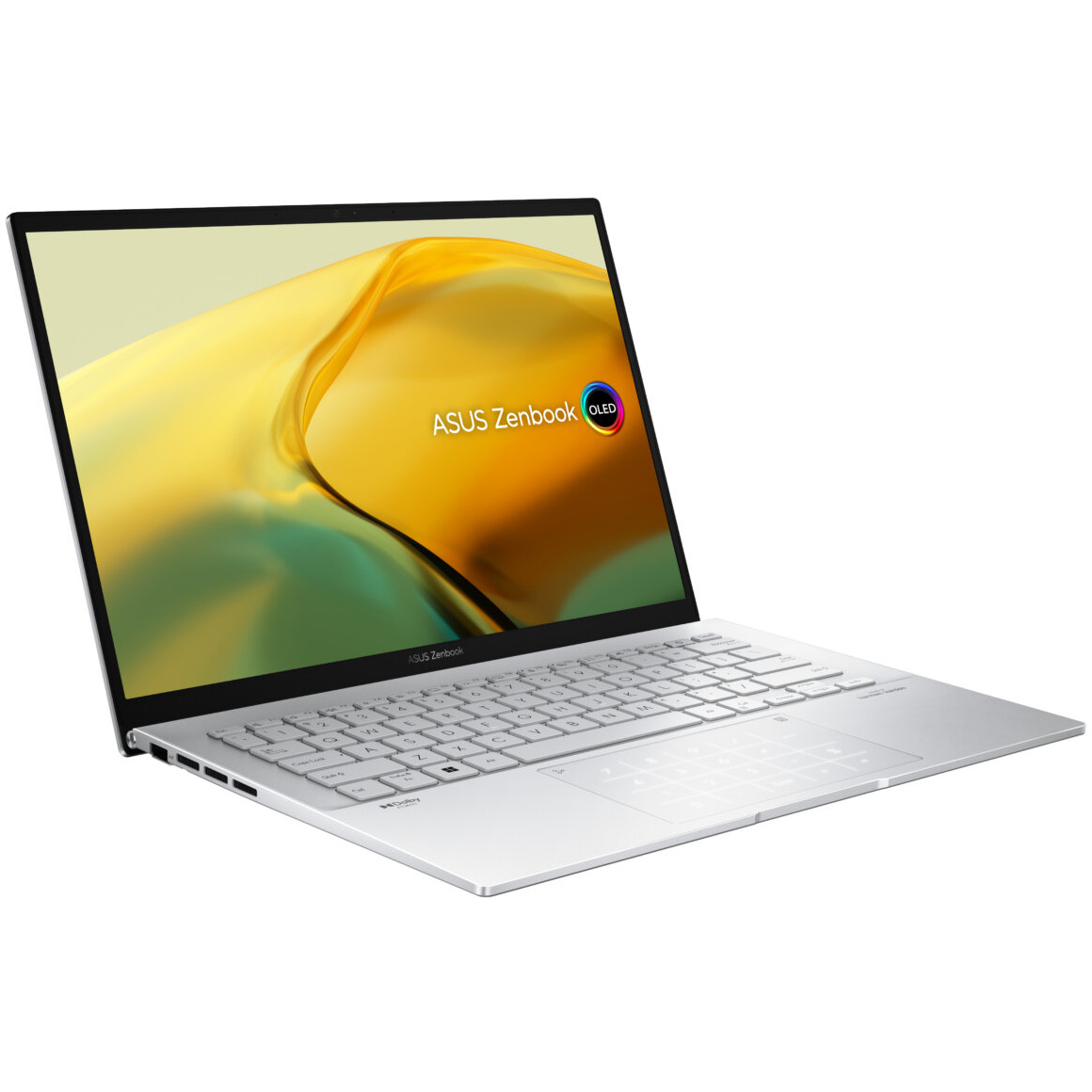
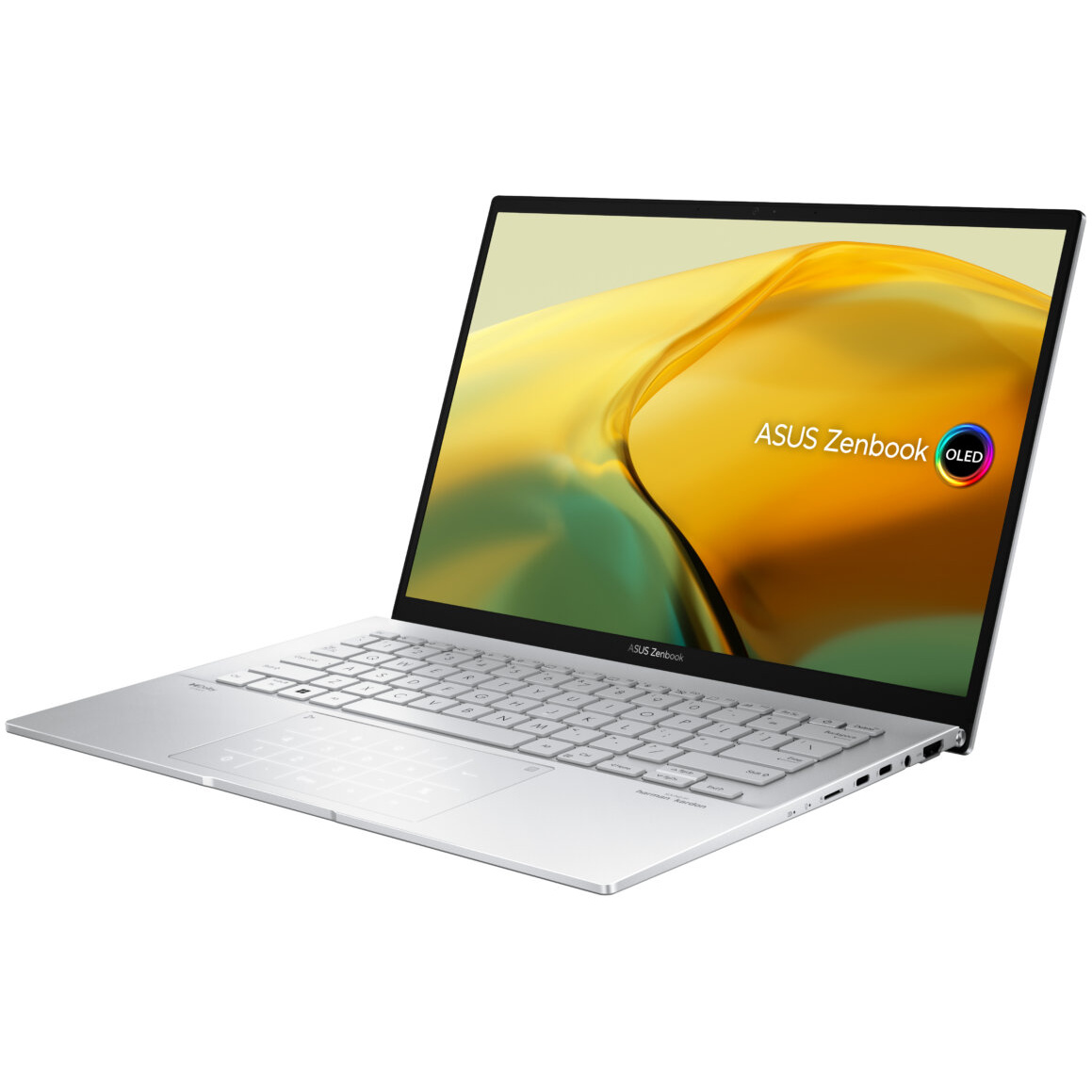
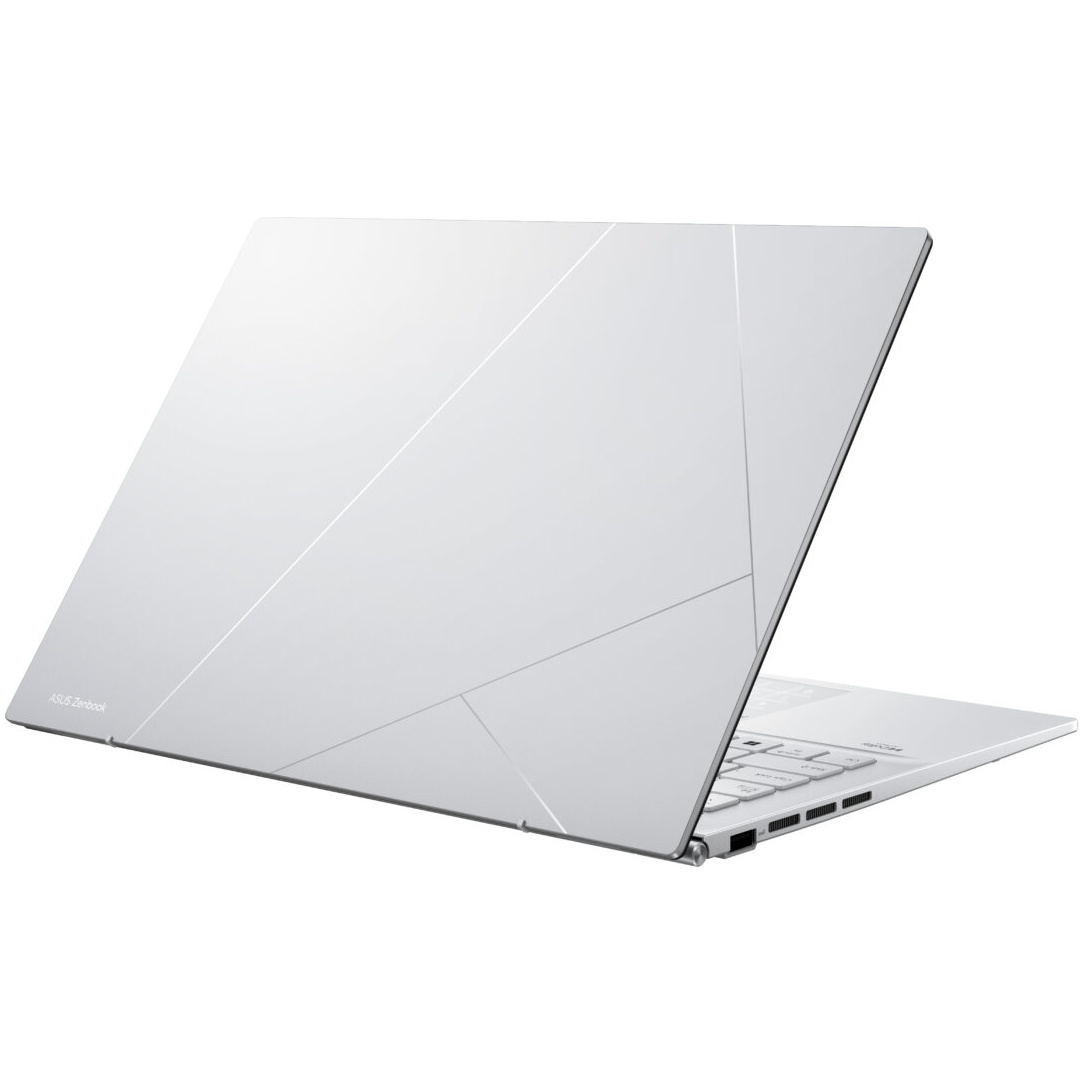
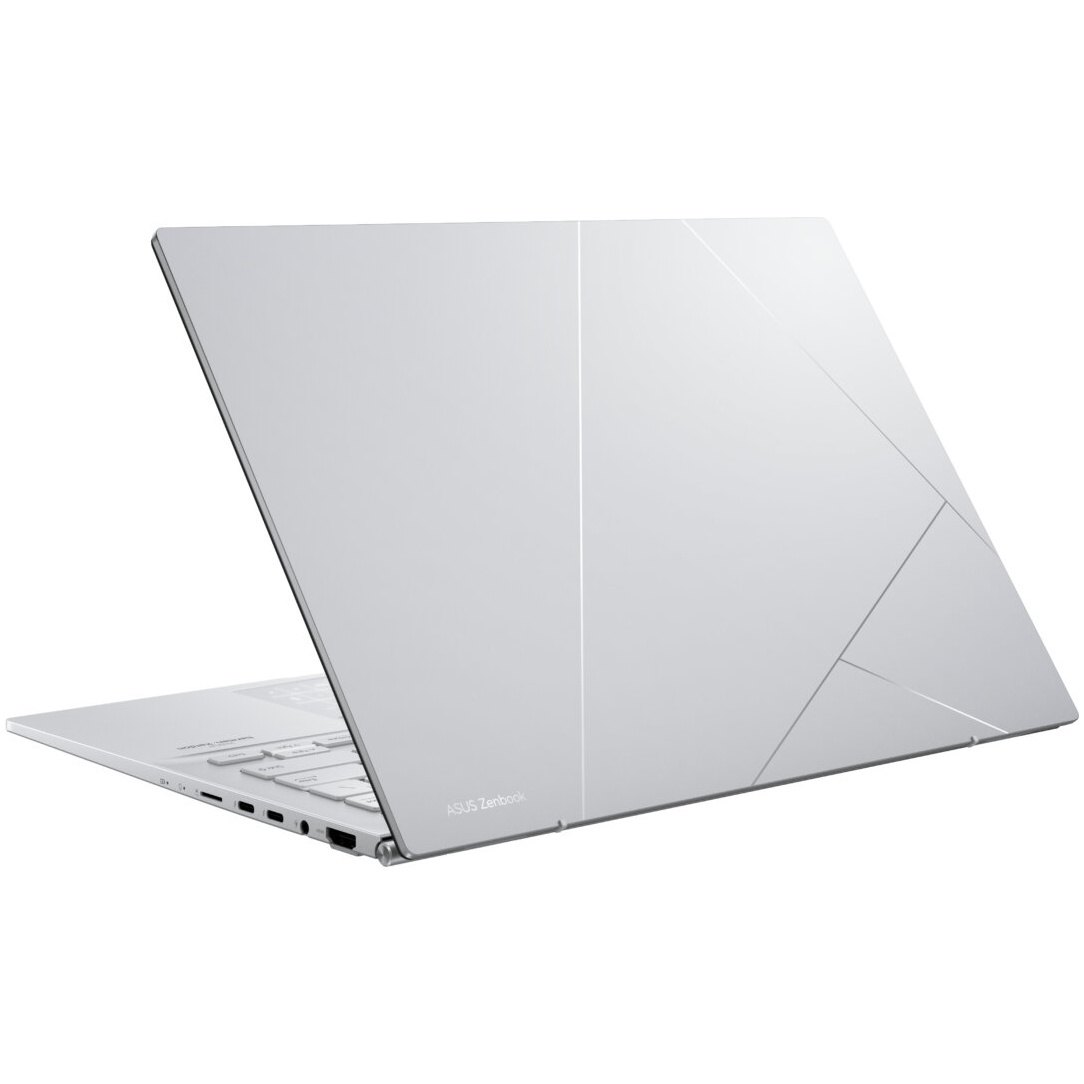
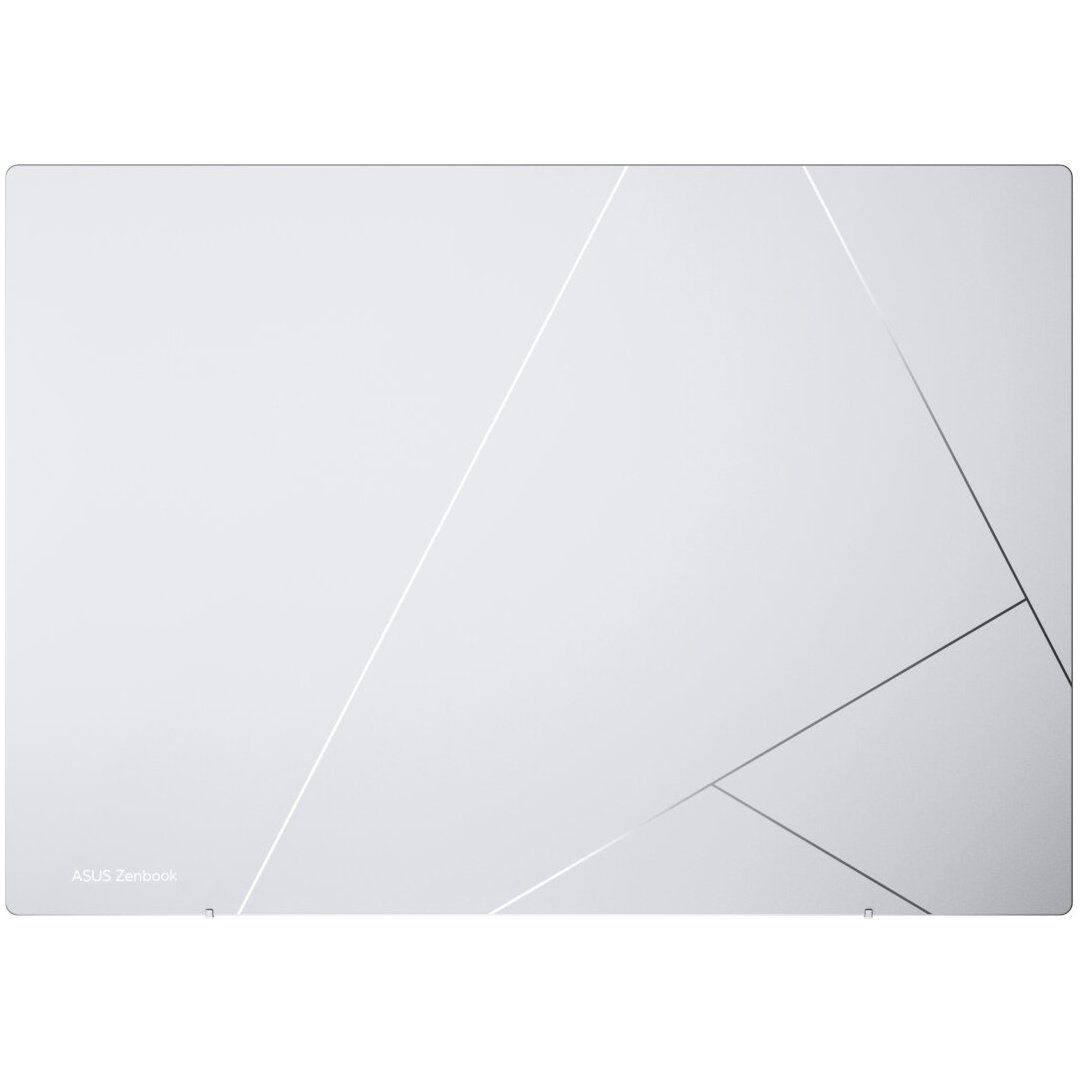
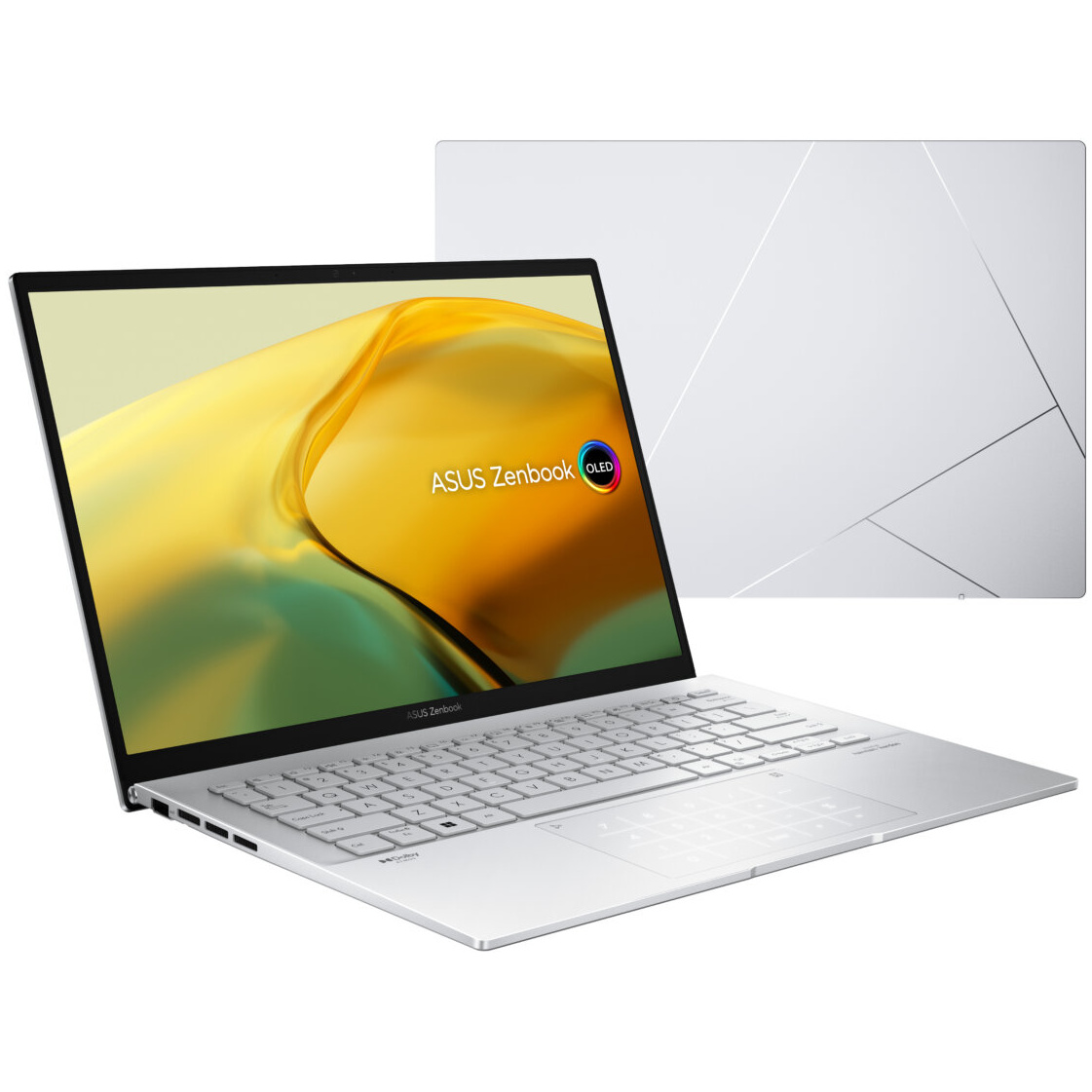
מחשב נייד Asus ZenBook UX3402VA Core™ i9-13900H 1TB SSD 16GB 14" (2880×1800) OLED WIN11 FOGGY SILVER Backlit Keyboard

₪3,379.08
המלאי אזל
BLACKFRIDAY
תקף לעוד
| Product type | Laptop |
| Product color | Silver |
| Form factor | Clamshell |
| Color name | Foggy Silver |
| Housing material | Aluminum |
| Market positioning | Home |
| Display diagonal | 14" |
| Display resolution | 2880 x 1800 pixels |
| Touchscreen | No |
| HD type | WQXGA+ |
| Panel type | OLED |
| Display number of colors | 1.073 billion colors |
| Native aspect ratio | 16:10 |
| Display surface | Gloss |
| Display brightness | 400 cd/m² |
| Maximum display brightness (HDR) | 600 cd/m² |
| RGB color space | DCI-P3 |
| Color gamut | 100% |
| Display response rise/fall | 0.2 ms |
| Maximum refresh rate | 90 Hz |
| Contrast ratio (typical) | 1000000:1 |
| High Dynamic Range (HDR) supported | Yes |
| High Dynamic Range (HDR) technology | HDR True Black 600 |
| Processor family | Intel® Core™ i9 |
| Processor manufacturer | Intel |
| Processor model | i9-13900H |
| Processor generation | 13th gen Intel® Core™ i9 |
| Processor cores | 14 |
| Processor threads | 20 |
| Processor boost frequency | 5.4 GHz |
| Performance cores | 6 |
| Efficient cores | 8 |
| Performance-core Max Turbo Frequency | 5.4 GHz |
| Efficient-core Max Turbo Frequency | 4.1 GHz |
| Processor cache | 24 MB |
| Processor cache type | Smart Cache |
| Processor base power | 45 W |
| Maximum turbo power | 115 W |
| Internal memory | 16 GB |
| Maximum internal memory | 16 GB |
| Internal memory type | LPDDR5-SDRAM |
| Memory form factor | On-board |
| Memory channels | Dual-channel |
| Total storage capacity | 1 TB |
| Storage media | SSD |
| Optical drive type | No |
| Total SSDs capacity | 1 TB |
| Number of SSDs installed | 1 |
| SSD capacity | 1 TB |
| SSD interface | PCI Express 4.0 |
| NVMe | Yes |
| SSD form factor | M.2 |
| Card reader integrated | Yes |
| Compatible memory cards | MicroSD (TransFlash) |
| On-board graphics card | Yes |
| Discrete graphics card | No |
| Discrete graphics card model | Not available |
| On-board graphics card model | Intel Iris Xe Graphics |
| On-board GPU manufacturer | Intel |
| On-board graphics card family | Intel Iris Xe Graphics |
| Audio system | Smart Amp |
| Speakers manufacturer | Harman Kardon |
| Built-in microphone | Yes |
| Front camera | Yes |
| Front camera resolution | 1920 x 1080 pixels |
| Front camera HD type | Full HD |
| Mobile network connection | No |
| Top Wi-Fi standard | Wi-Fi 6E (802.11ax) |
| Wi-Fi standards | Wi-Fi 6E (802.11ax) |
| Antenna type | 2x2 |
| Ethernet LAN | No |
| Bluetooth | Yes |
| Bluetooth version | 5.3 |
| USB 2.0 ports quantity | 0 |
| USB 3.2 Gen 1 (3.1 Gen 1) Type-A ports quantity | 0 |
| USB 3.2 Gen 1 (3.1 Gen 1) Type-C ports quantity | 0 |
| HDMI ports quantity | 1 |
| USB 3.2 Gen 2 (3.1 Gen 2) Type-A ports quantity | 1 |
| HDMI version | 2.1 |
| Thunderbolt 4 ports quantity | 2 |
| Intel® Thunderbolt 4 | Yes |
| Combo headphone/mic port | Yes |
| USB Type-C DisplayPort Alternate Mode | Yes |
| Repairability index | 9 |
| Numeric keypad | No |
| Pointing device | NumberPad |
| Keyboard backlit | Yes |
| Keyboard layout | QWERTZ |
| Keyboard language | English / Hebrew |
| Operating system installed | Windows 11 Home |
| Operating system architecture | 64-bit |
| Trial software | 1-month trial for new Microsoft 365 customers |
| Battery capacity | 75 Wh |
| Battery technology | Lithium-Ion (Li-Ion) |
| Number of battery cells | 4 |
| USB Type-C charging port | Yes |
| AC adapter power | 65 W |
| AC adapter frequency | 50 - 60 Hz |
| AC adapter input voltage | 100 - 240 V |
| AC adapter output current | 3.25 A |
| AC adapter output voltage | 20 V |
| USB Power Delivery | Yes |
| Fingerprint reader | Yes |
| Trusted Platform Module (TPM) | Yes |
| Password protection | Yes |
| Compliance certificates | REACH |
| Sustainability certificates | ENERGY STAR, EPEAT Silver |
| Weight | 3.06 lbs (1.39 kg) |
| Width | 12.3" (313.6 mm) |
| Depth | 8.69" (220.6 mm) |
| Height | 0.665" (16.9 mm) |
| Package width | 16.1" (410 mm) |
| Package depth | 2.95" (75 mm) |
| Package height | 11.2" (284 mm) |
| Package weight | 3.62 lbs (1.64 kg) |
| AC adapter included | Yes |
Power and Elegance, Reimagined
The powerful and compact Zenbook 14 OLED is just 16.9 mm slim and 1.39 kg1 light, with a breathtaking new design that’s timelessly elegant yet totally modern. You’ll experience perfect visuals from the expansive 16:10 2.8K OLED HDR NanoEdge touchscreen2,3,4, a color-accurate up to 550-nit screen that’s PANTONE® Validated and has a cinema-grade 100% DCI-P3 gamut. 16 GB RAM and 1 TB PCIe 4.0 SSD deliver superb performance, and there’s a long-lasting 75 Wh battery. For extraordinary sound, there’s a Dolby Atmos sound system powered by a smart amplifier. The user-centric design includes one-touch login with a fingerprint sensor on the power button, the new ASUS ErgoSense keyboard, and the efficient ASUS NumberPad 2.0. The bold new lid design is inspired by timeless Kintsugi craftsmanship, and it’s available in two fresh new colors: Ponder Blue and Aqua Celadon. Zenbook 14 OLED is the new benchmark for portable perfection.
MOBILITY
Portable perfection
Designed for a sublime on-the-go experience, Zenbook 14 OLED packs a premium specification and a full set of I/O ports into a compact, slim and lightweight all-aluminum chassis that’s ready to go with you anywhere. Say hello to your new favorite traveling companion.
BATTERY
Non-stop stamina
There’s no need to panic if power outlets are in short supply: Zenbook 14 OLED’s long-lasting 75 Wh battery can keep you productive.
PERFORMANCE
Powerfully productive
Whatever you need to do, Zenbook 14 OLED is primed and ready, featuring all the multitasking power of the latest 13th Gen Intel® Core™ i7 Processor combined with 16 GB RAM and Intel Iris® Xe graphics. Ultrafast PCIe 4.0 x4 SSDs take care of your storage needs, and the latest WiFi 6E (802.11ax) gives you gigabit-class wireless connections.
ASUS INTELLIGENT PERFORMANCE TECHNOLOGY
The ultimate performance boost
ASUS Intelligent Performance Technology (AIPT) is an ultra-efficient thermal design and power-saving solution. It uses ASUS exclusive algorithms combined with between five and nine smart sensors, an aerodynamic IceBlades fan design and a 65-watt power supply to intelligently increase CPU performance with improved stability, while allowing all-day battery life and a quieter and cooler laptop. With ASUS Intelligent Performance Technology, your laptop can run in high-performance status as long as you need.
WiFi CONNECTIVITY
Fine-tuned with ASUS WiFi Master Premium technology
ASUS offers a comprehensive range of wireless connectivity solutions. WiFi 6E is the latest and fastest WiFi standard, and Zenbook 14 OLED enhances its performance even further with ASUS WiFi Master Premium technology. This includes ASUS WiFi Stabilizer, which gives your WiFi connections rock-solid stability, and WiFi Stabilizer to filter out wireless interference, so you’ll always enjoy the fastest possible speeds. Additionally, WiFi SmartConnect automatically selects the best WiFi source, so Zenbook 14 OLED connects seamlessly to the best WiFi signal and known mobile hotspots.
DISPLAY
See more, beautifully
The expansive 16:10 2.8K OLED NanoEdge touchscreen on Zenbook 14 OLED delivers incredibly detailed visuals with ultra-vivid colors. The NanoEdge design has ultra-slim bezels and a 90% screen-to-body ratio, which in turn gives Zenbook 14 OLED its svelte and compact form factor. For superb color accuracy, the display is PANTONE® Validated, and the DisplayHDR™ True Black 500 certification means it displays the deepest possible blacks. It also cares for your eyes during long screen sessions, with low blue-light levels that are certified by both SGS and TÜV Rheinland.
ASUS OLED DISPLAY
An OLED cinema in your hands
Zenbook 14 OLED’s display has a best-in-class color gamut. It reproduces colors with superb real-life accuracy for professional-grade visuals, making it perfect for professional and creative work, or anyone who simply wants to enjoy the very best color fidelity. An OLED display, due to the nature of the special organic light-emitting compounds it uses, reduces harmful blue light by up to 70%7 compared to LCD displays, making it extra gentle on your eyes to reduce the risk of retinal damage.
AUDIO
Break the sound barrier
For unrivaled audio quality, Zenbook 14 OLED has a Dolby Atmos stereo sound system that’s certified by the audio experts at Harman Kardon. It delivers powerful, immersive sound that’s crystal-clear, with the multi-dimensional soundscape of Dolby Atmos. It immerses you in your favorite entertainment with sound that moves all around you with breathtaking realism in music, movies and TV.
Smart Amp — 350% louder sound, zero distortion
The volume-enhancing, distortion-suppressing dual-channel smart amplifier is equipped with a powerful DSP chip that can drive the twin speakers at the maximum volume possible while preventing long-term damage to the sensitive speaker voice coils. Creating or listening to audio in your videos, movies, music or games has never sounded better!
KEYBOARD AND TOUCHPAD
Brilliantly nuanced ErgoSense keyboard and touchpad
It’s our mission at ASUS to elevate human interaction with technology to a higher and more intuitive level than ever before. The latest ASUS ErgoSense keyboard and touchpad are engineered to enable an unrivaled input experience that’s in harmony with how you move, feel and touch. Your comfort is our highest priority. That’s why the ErgoSense keyboard has an incredibly satisfying feel, with the optimum bounce and travel calculated with fine-tuned precision. Scrolling on our ErgoSense touchpad is just like touching silk. Its surface has a special low-friction coating that’s also fingerprint resistant, keeping your work area as clean as new.
Experience the ErgoSense keyboard and touchpad, and you’ll soon find yourself cruising effortlessly through your work.
Full-sized keyboard
19.05 mm
It’s time to say hello to ErgoSense, and goodbye to cramped laptop keyboards! The full-size 19.05 mm key pitch is the same as a desktop keyboard, so you can whizz through your work with superb typing comfort and accuracy.
Dished key caps
0.2 mm
The 0.2 mm key-cap dish is designed to match the shape of your fingertips. The smooth-edged indent is carefully crafted for a comfortable yet precise feel, so your fingers are gently guided to the ideal contact point with the keys.
Long key travel
1.4 mm
Good tactile feedback is important to let you know that your key press has been registered. The long 1.4 mm key travel lets you type without having to use too much force. And underneath the key, there’s a rubber dome crafted by keyboard experts here at ASUS. It guarantees your click force is met with just the right tactile bump you need for a nice grip.
Ultra-smooth touchpad
The hydrophobic coating applied to our touchpad has a high water-contact angle. This means the nanotech-like surface provides smoother feedback for every scrolling movement. It’s like touching silk!
Anti-fingerprint touchpad
We apply a high-end PVD anti-fingerprint coating that ensures excellent resistance to wear and tear. This coating also makes the surface really easy to clean. And even after more than 10,000 slides, the touchpad will still be as smooth as new.
USER EXPERIENCE
Thoughtful design
We go the extra mile to give you a more effortless and joyful experience, at work or play.
Dedicated function keys
Pressing F9 toggles the mic on or off, and the F10 key controls the webcam shield.
One-touch login
The fingerprint sensor integrated into the power button allows easy and secure one-touch login.
ASUS NumberPad 2.09
For easy number-crunching, the touchpad includes the ASUS NumberPad 2.0 numeric keypad.
WEBCAM
Real-time webcam image optimization
ASUS 3D Noise Reduction (3DNR) Technology and the new webcam effects in MyASUS take your video-calling experience to the next level. 3DNR significantly upgrades the webcam image clarity, with a unique algorithm that sharpens images and performs real-time de-noising to make sure everything looks crisp and clear during video calls. The webcam effects in MyASUS add several useful image-processing features, including Background Blurring for enhanced privacy; Lighting Optimization to keep faces out of shadow; Motion Tracking to always keep you center-frame; and Eye Tracking to reduce the effect of your eyes wandering away from the camera.
NOISE CANCELATION
Next-level AI noise-canceling audio technology
With the increase of remote work and video conferences, we’ve implemented ASUS AI noise-canceling audio technology to ensure the best experience. This employs machine learning in order to isolate unwanted noise from human speech. The ClearVoice Mic feature in the MyASUS app can filter out ambient noise, and normalize all individual voices in Multi-presenter mode from different positions for optimum group conference-call quality. The ClearVoice Speaker feature filters out all ambient noise apart from human speech — so you’ll hear what everyone else is saying.
Try the demo to experience the amazing difference in different environment that ASUS AI noise-canceling technology can make.
CONNECTIVITY
Convenient connections
Zenbook 14 OLED is packed with all the I/O ports you need for easy connectivity to your devices and peripherals. The latest ultrafast Thunderbolt™ 4 USB-C® ports support fast charging, 4K UHD external displays and up to 40 Gbps10 data transfers, and there’s also an HDMI® port and a USB 3.2 Gen 2 Type-A port alongside a microSD card reader. Communications and audio I/O are taken care of by the convenient audio combo jack.
EASY CHARGE
USB-C® Easy Charge11: Power anytime, anywhere
USB-C® Easy Charge support means that your Zenbook 14 OLED can be used with a wide range of standard 5-20V USB-C® chargers. You can enjoy ultrafast charging with any PD (Power Delivery) certified charger, including the 65-watt fast-charge adapter supplied with Zenbook 14 OLED, or juice up your device on the go with airline chargers, portable chargers or power banks!
SOFTWARE
Truly personalized workflow
MyASUS hosts a collection of handy ASUS apps and tools that help you get more out of your laptop, and the powerful GlideX is a cross-device screen-sharing solution. Optimize your laptop’s performance and boost your productivity with ASUS apps!
MyASUS
Your PC just got better
MyASUS provides easy access to ASUS apps that are designed to help you maintain your system, update your software, optimize your PC’s performance, and contact ASUS for after-sales service and support.
GlideX
Your on-the-go work and play space
GlideX is a cross-device screen-sharing solution that uses wired or wireless connections to give you a bigger and better space for work and play. With Screen Mirror you can project your device’s screen to PC for easier keyboard input on a bigger space; with Screen Extend you can create more space turning your tablet into a secondary display on the go. GlideX optimizes your workflow in the blink of an eye!
מוצרים קשורים
-

₪8,591.73 הוספה לסלמחשב ניידDell Pro Max 18 Plus Core™ Ultra 7 265HX 512GB 32GB 18" (2560×1600) WIN11 Pro NVIDIA® RTX PRO 1000 Blackwell 8192MB MAGNETITE Backlit Keyboard FP Reader 3-year on-site warranty -
₪1,689.00 הוספה לסלמחשב ניידLenovo ThinkPad L13 YOGA G3 Core™ i5-1245U 16GB 256GB SSD 13.3″ TOUCH FHD Win 11Pro – תיק מתנה-מוחדש- שנה אחריות -
₪1,849.00 הוספה לסלמחשב ניידLenovo ThinkPad L13 G3 YOGA Core™ i5-1245U 16GB 512GB SSD 13.3″ TOUCH FHD Win 11Pro – תיק מתנה-מוחדש- שנה אחריות -
₪4,202.13 הוספה לסלמחשב ניידLenovo ThinkPad E14 Gen 7 AMD Ryzen™ 7 250 1TB SSD 16GB 14" (1920×1200) TOUCHSCREEN WIN11 Pro ECLIPSE BLACK Backlit Keyboard FP Reader